

Carlio

Changelog

What has changed in Carlio, in the order it changed.

A single WhatsApp message bubble floating alone, with a small car icon inside it and a green double check mark in the corner. The bubble   is the whole image: one message, one car, delivered.

Integration: WhatsApp For Customers

Customers no longer need to ask where their car is. Carlio now sends a WhatsApp message at each step of the purchase.

What is sent

  • Sale Registered: the car is marked as sold.
  • Departed Port of Loading: the shipment leaves.
  • Arrival Date Changed: the expected arrival moves.
  • Arrived at Port of Discharge: the shipment reaches its destination.
  • Delivered: the car is delivered.

Shipment updates are sent only for shipments under live tracking that are set to Visible to Customer.

How to start

  1. Open Settings, then Integrations, and turn on Customer updates on the WhatsApp card.
  2. On the customer page, select Record Consent in the WhatsApp Updates card and enter the mobile number.

Messages go out only after consent is recorded. Customers can reply STOP at any time, and their replies appear in the Messages tab.

Carlio sends from its own WhatsApp account, so the dealership connects no number. Read the full guide under WhatsApp Updates.

Jayson Mays
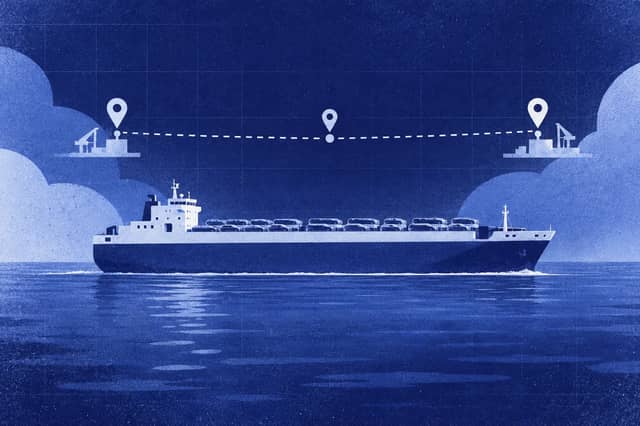
a cargo vessel seen from the side on a calm horizon, with three small markers along its route. One marker sits at the port of departure, one at the port of arrival, and one sits on the arrival date between them. The three markers are the three alerts.

Notification Alerts: Shipment

Carlio now sends a notification when a tracked shipment reaches a milestone. The dealership no longer needs to open each vehicle to learn that a vessel has sailed, has arrived or has been delayed.

New notifications

NotificationWhen it is sentWhat it shows
Shipment DepartedThe carrier reports that the vessel left the port of loading.Route, vessel and estimated arrival date.
Shipment ArrivedThe carrier reports that the vessel reached the port of discharge.Port and vessel.
Arrival Date ChangedThe estimated arrival date moves by one day or more.Previous date, new date and port.

Who receives them

Owners and managers receive every shipment notification. Any member who follows a vehicle receives the notifications for that vehicle as well.

Each notification reaches the feed. Email and Telegram follow the default below, and each member can change the defaults.

NotificationEmailTelegram group
Shipment DepartedOffOn
Shipment ArrivedOnOn
Arrival Date ChangedOnOn

A connected Telegram group receives one message for each event, however many managers the dealership has. Browser notifications remain off until a member enables them.

How the alerts behave

  • One notification is sent for each vehicle. Vehicles that share one bill of lading each receive their own notification.
  • A departure notification already shows the estimated arrival date, so no separate date change is sent with it.
  • An arrival replaces the estimate with the actual date, so only the arrival notification is sent.
  • A shipment that is already under way when tracking starts sends no notifications for earlier events.
  • The same event is never announced twice for a vehicle. A later change to a different arrival date is announced again.

Where to adjust them

Notification switches are in Settings under Notifications, in the Vehicles group. Telegram group chats are connected in the Integrations settings. All notification text is available in English, Russian, Korean, Arabic and Azerbaijani.

Jayson Mays
Abstract gradient cover illustration for "Welcome to blog".

Welcome to blog

The Carlio blog is now available, with practical guidance on vehicle trade and dealership operations.

Each article includes an author profile, publication date, and estimated reading time. A table of contents makes it easy to jump to a specific section, and the layout adapts to desktop and mobile screens.

Follow the RSS feed to receive new articles in a preferred feed reader.

Nijat